Software for building cleaning
The service record your client wants to see
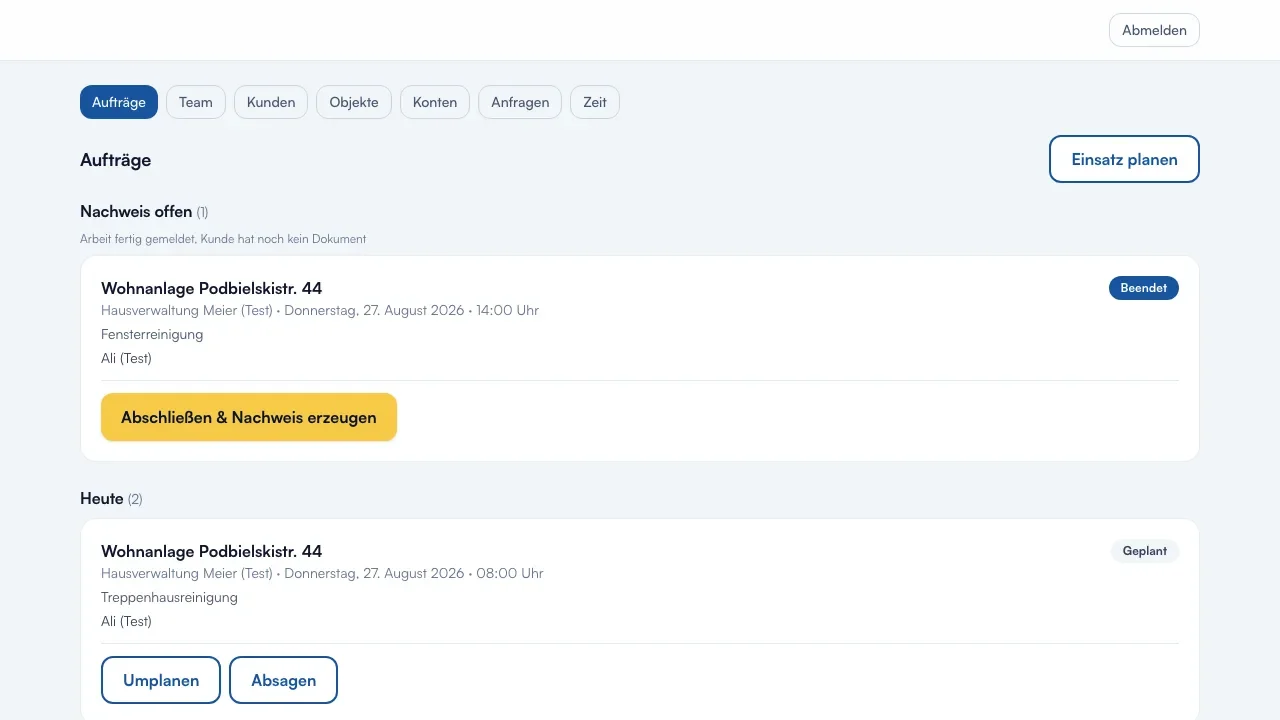
Cleaners work in other people's buildings throughout the day. What was done there is usually on slips of paper. We turned this into a portal that creates the service record by itself.
The typical starting point
The client asks what was done in the stairwell last week, and we first have to call someone.
The timesheets come in on Friday, incomplete, and somebody types them up.
When a site complains, we have nothing to go on except our staff's word.
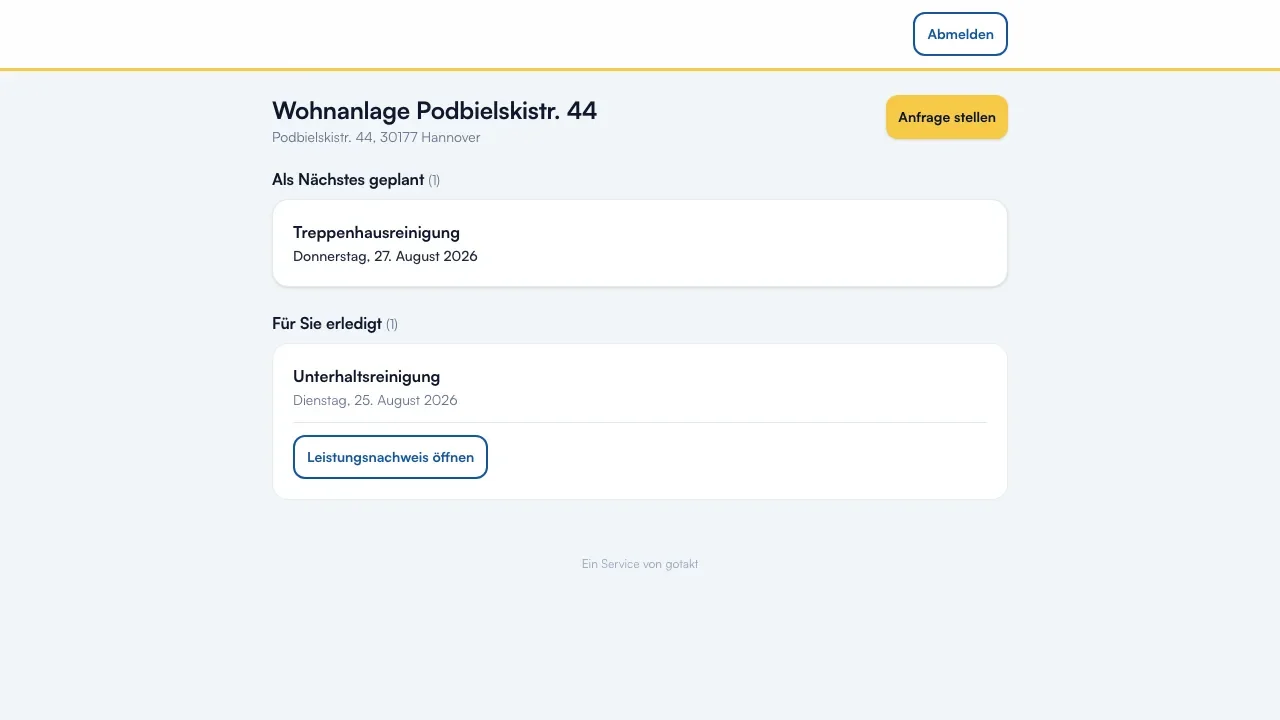
We want to show the client what was done. But they should not see who worked for how long.
What we built for it
Recording on site
The cleaner opens the assigned job on the phone and records what was done. Times and ticks work even with poor reception; photos are uploaded once there is reception.
Photos as evidence
Before and after, taken right at the site and assigned to the job. A complaint becomes a question that can be answered in thirty seconds.
Service record as PDF
The recorded jobs produce the service record for the client, fully formatted and consecutively numbered. One record per job, issued with one click after a preview.
Three views, strictly separated
Management sees everything, employees see their own jobs, and the client sees the work done and no working hours. This separation lives in the database rules, not in greyed-out buttons.
- 44 test suites, 16 of them against real Firebase emulators instead of mocks
- Dedicated tests for the database and storage rules: they check that the wrong role really does not get the data
- Staged deploy in which rules, functions, storage and interface go live in a fixed order
- Daily and weekly database backups; restoring earlier states has been proven
- Browser tests across three separate sign-ins, so that the role separation holds in a real browser, too
- Installable web app; an open session keeps working with poor reception
Frequently asked questions
Do our cleaners need a company phone?
No. People clock in on the phone that the office has enabled for that person. That can be their own smartphone. If you want to provide a company device, you can, but you do not have to.
Does it work in a basement with no signal?
Yes, if the portal was opened beforehand. Clocked times and ticks are then stored on the phone and transferred as soon as there is reception again. Photos need reception. The portal cannot be started fresh without a connection.
Can the client see our staff's working hours?
No, and this is not a setting that someone could switch by accident. The client's access is never sent any time data in the first place. There is a test that proves exactly that.
We already have industry software. Is something of our own still worth it?
Sometimes not, and then we say so. Something of your own pays off where your processes differ from the standard solution and you therefore keep Excel open next to it. That is exactly the point we look for in the first conversation.
What does a portal like this cost?
That depends on the scope. We first cut out the smallest part that is already useful in your business and quote a fixed price for it. You decide based on the offer, not on an hourly rate.
Where is the data stored?
The database and photos are stored in Frankfurt am Main. Details on sign-in are in the data processing agreement.
Further reading
- gotakt OperationsThe finished product from this project: three views, photos, service record as PDF.
- Service records in building cleaningWhat goes into one, who may see what, and how it stops being made by hand.
- Recording working time in building cleaningWhat § 17 MiLoG (the German Minimum Wage Act) requires: start, end, duration, seven days, two years.
Tell us briefly what goes wrong today
One sentence is enough. We will get back to you with questions and tell you openly whether custom software is worth it for you.