
Software company from Langenhagen near Hanover, Germany Software for what actually runs.
A platform, our own products and custom software for real business workflows.
System index
One job, six stations
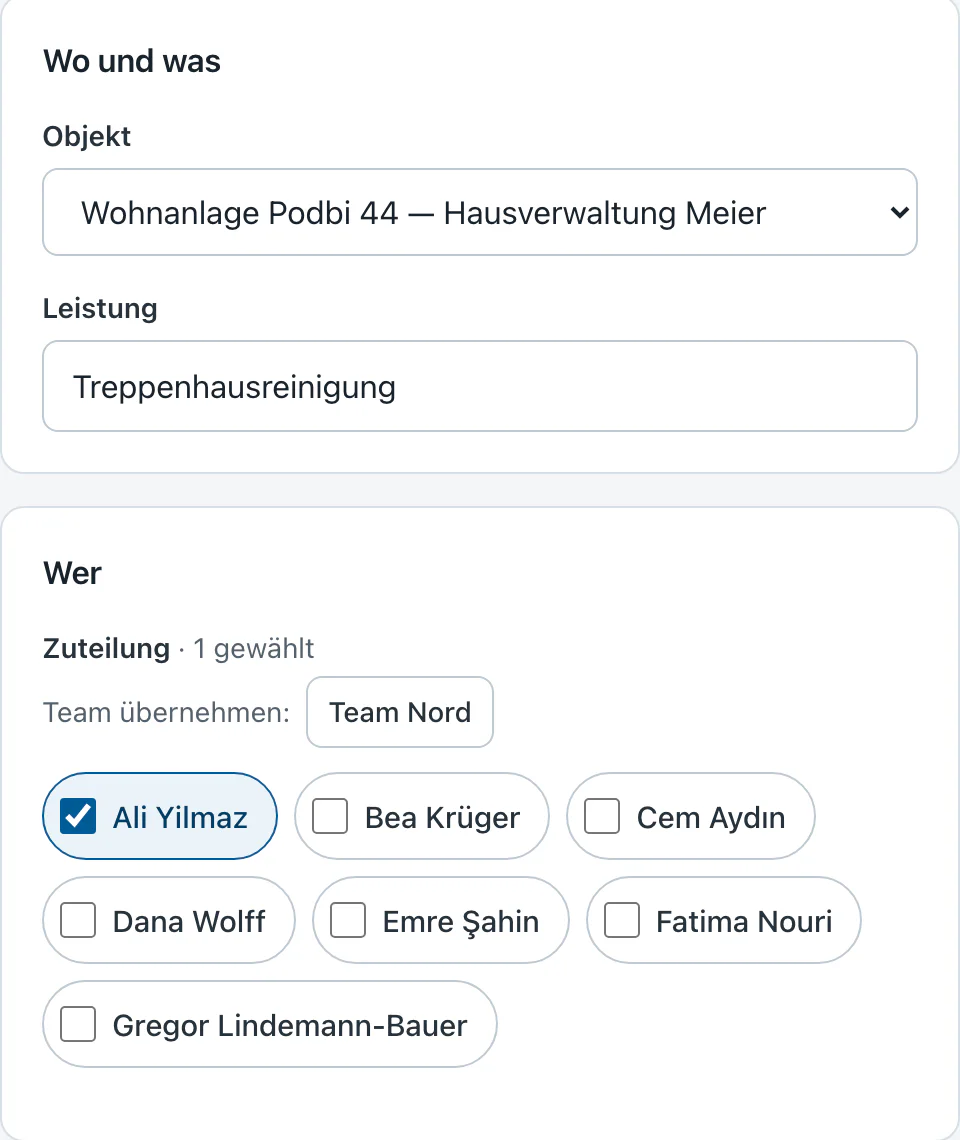
- 01Job
Where, when, who and what. The office plans the job, checklist included.
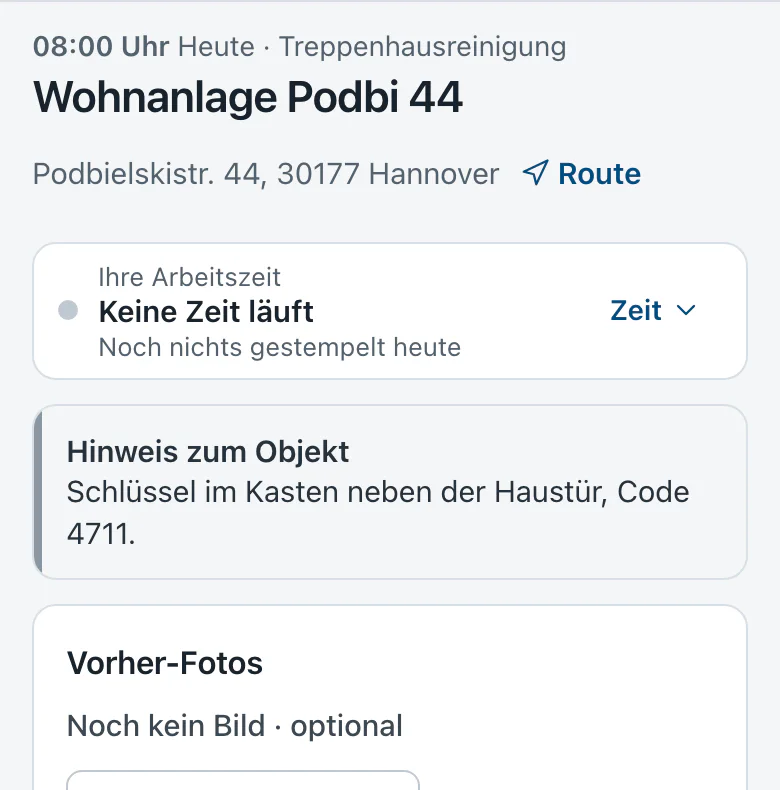
- 02Site
Address, access and notes belong to the site, not to a slip of paper.
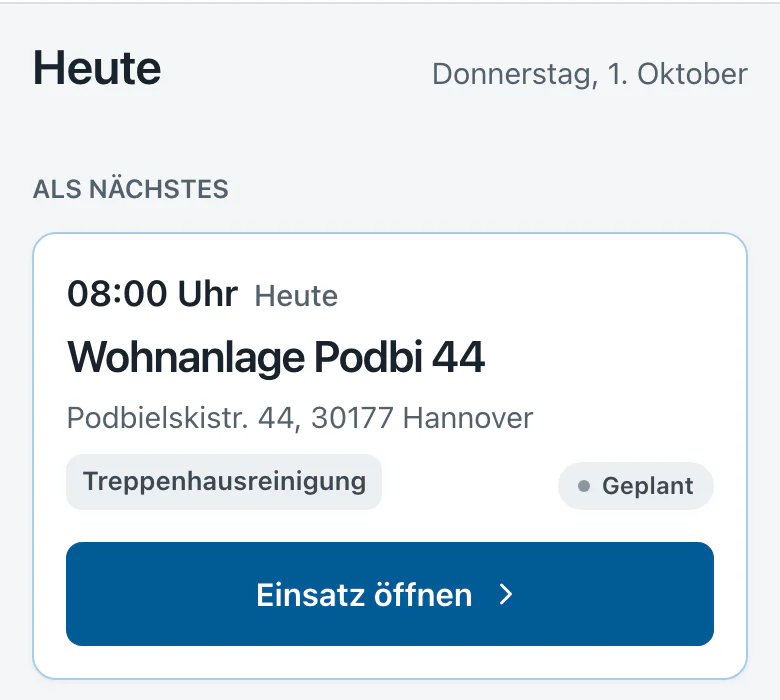
- 03Staff
Staff see on their phone what is next today.
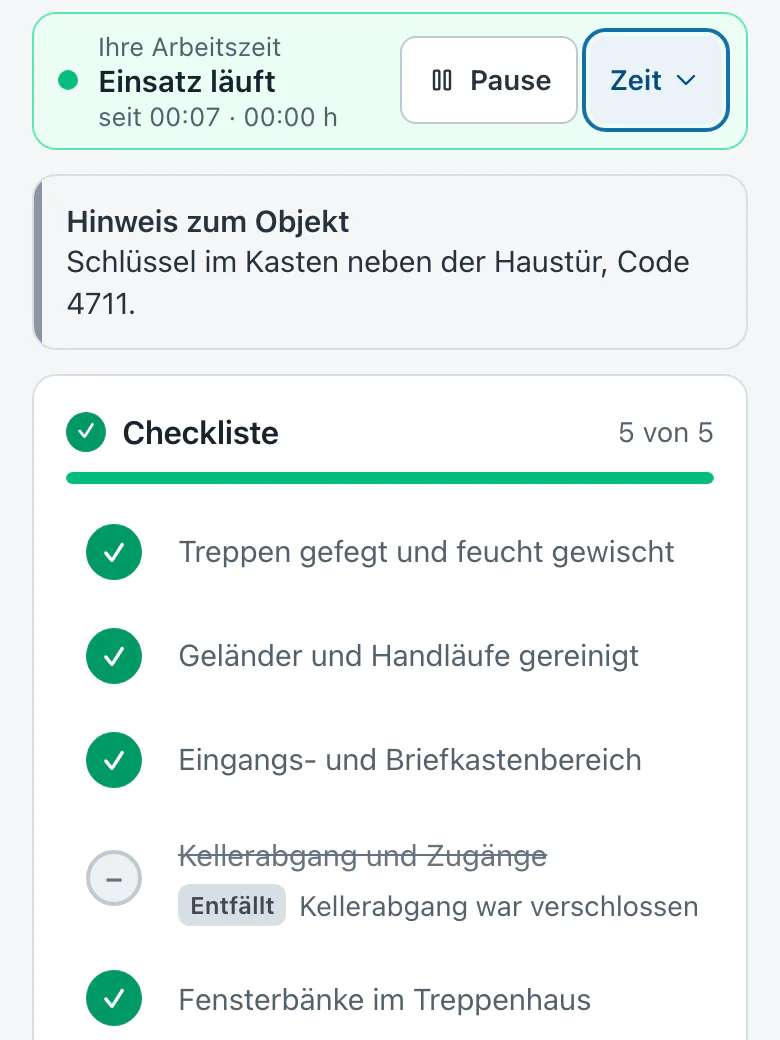
- 04Visit
The checklist sits under the timer. Anything skipped needs a reason.
- 05Proof
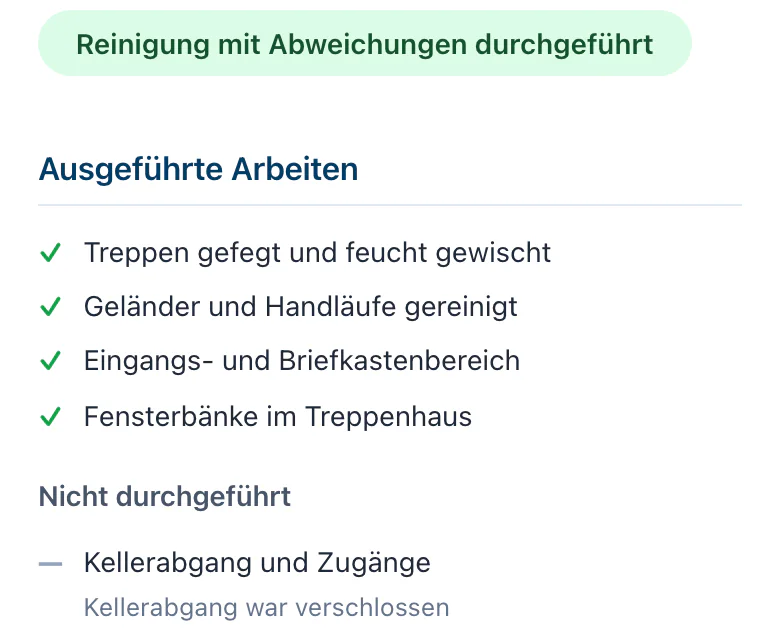
The office reviews and issues the proof of service. Deviations are written in it.
- 06Client
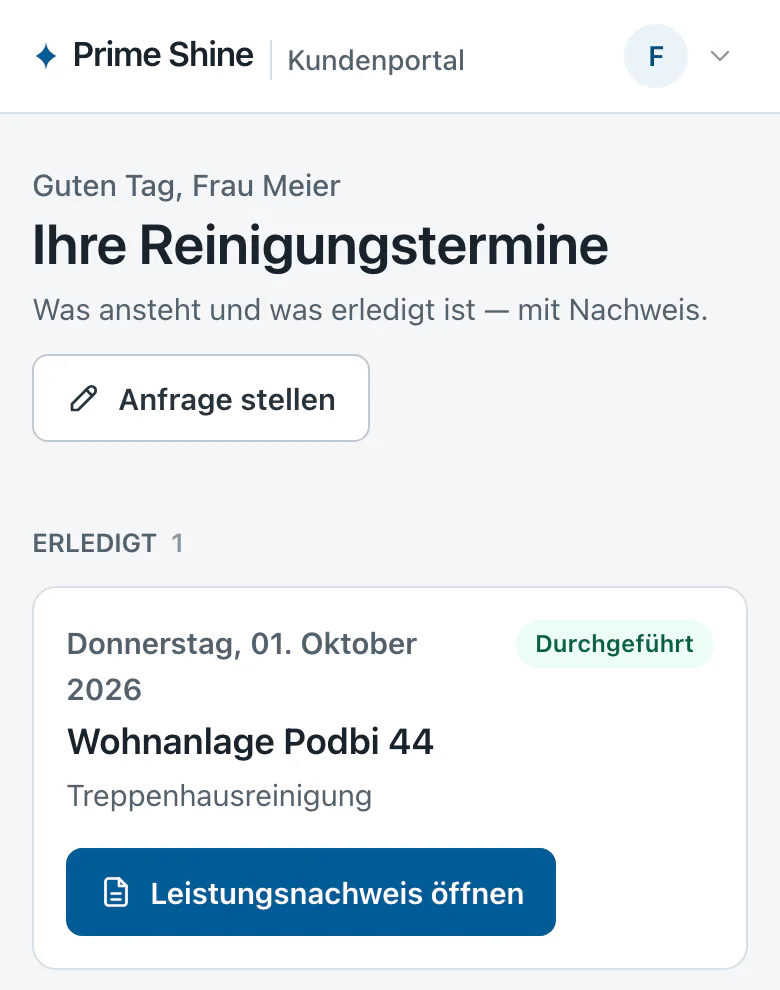
The client sees dates and proofs. They do not see the staff's working hours.


Made for
- Commercial cleaning
- Facility management
- Technical service
and other work with on-site visits

Under the surface
Database
Staff, office and client are separated in the database rules.
Rules
A proof exists only once every item is done or skipped with a reason.
Proof
One PDF per job, with done and skipped items.
Operation
Nightly backups, restore tested.
gotakt Zeit
Record working time, check it and pass it on.
One working day, as the system sees it
- 07:42Start
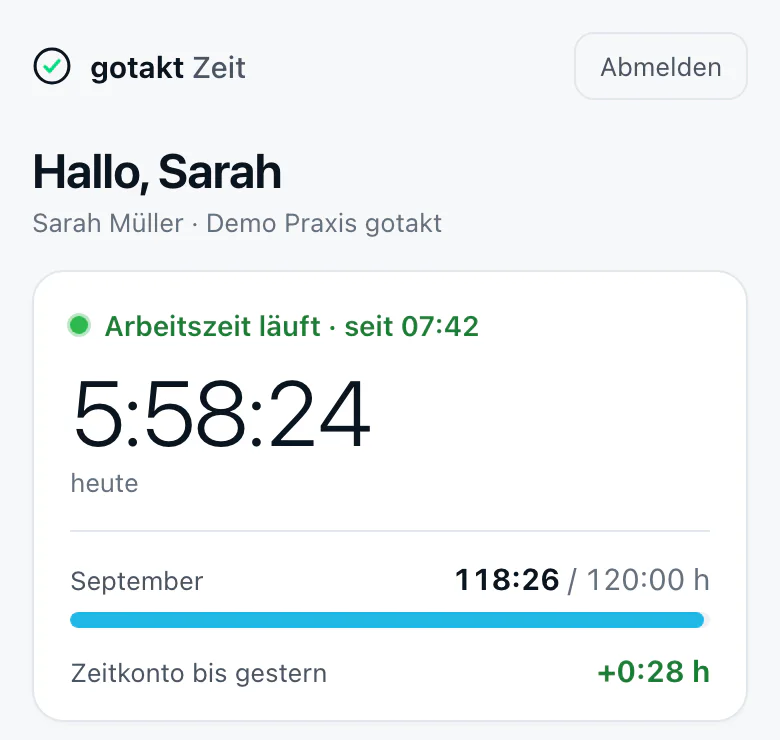
Clock in on the tablet with a PIN, or on the phone when out and about.
- 12:06Break
The break runs as a state of its own.
+ 4:24 h work
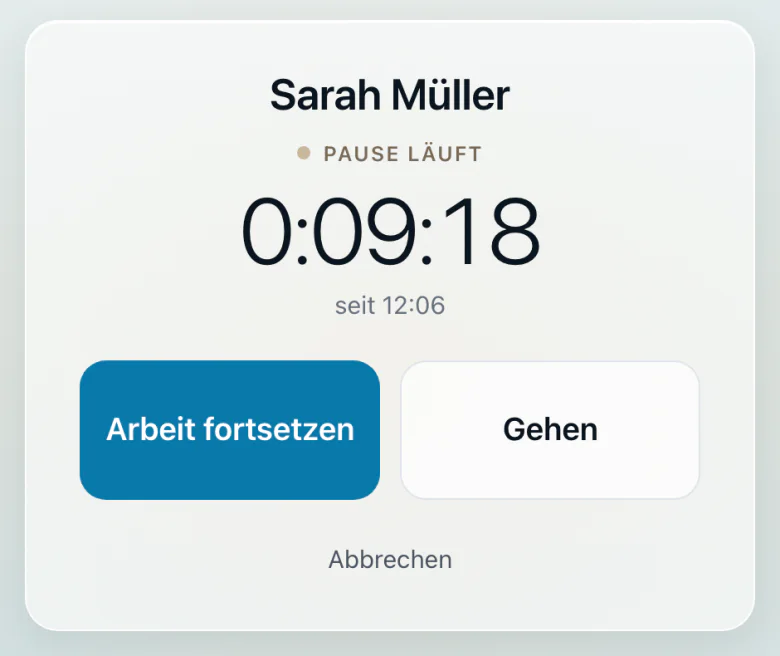
- 12:36Resume
Back to work.
+ 0:30 h break
- 16:28End
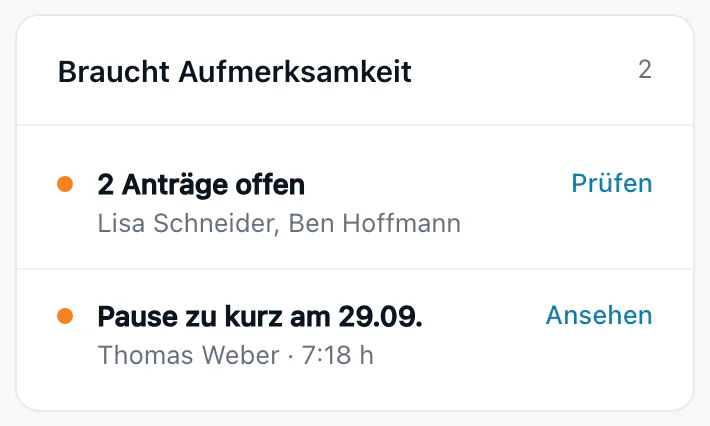
Clock out. 8:16 h of work, 0:30 h of break: the break rule is met.
+ 3:52 h work
- 17:15Review
The office sees break-rule violations in the overview and under times.
- ExportPayroll
At month end as DATEV Lodas, CSV or PDF timesheets.


The system checks
- Over 6 h: at least 30 min break
- Over 9 h: at least 45 min break
- At most 10 h a day
- 11 h rest between two shifts
Under the surface
Capture
Tablet with PIN at reception, phone on the road.
Break rules
German working time law (§ 4 ArbZG) is checked on every shift.
Audit log
Changes to times are logged.
Export
DATEV Lodas, CSV and PDF timesheets.
One document, seven states
- 01order.pdf
One document, one case. Your own forms can be uploaded.
- 02Recipient
The link goes out by email or messenger. It carries no content itself.
- 03Security question
The link alone is not enough. A question about the case has to be answered.
- 04Signature
On the phone, no app, no account.
- 05Timestamp
Per RFC 3161. Only a hash goes to the service, never the document.
- 06PAdES signature
A digital signature covers the finished file.
- 07order-signed.pdf
Whether the file has changed since signing can be checked without our database.
Typical documents
- Orders
- Assignments of claims
- Powers of attorney
- Your own forms as PDF
Hosting
- On your own server
- Or in a German data centre of your choice
No cloud provider, no per-user licences.
Status
The core runs and is tested. Hardening follows before real customer data.
Under the surface
Access
Link plus security question, per case.
Evidence chain
Each entry carries the hash of the previous one.
Timestamp
Per RFC 3161. Only a hash leaves the house.
Signature
Every finished file gets a PAdES signature.
What is scattered today gets a role
- Excelbecomes a rule
Formulas and columns that decide today what applies.
- Emailbecomes an event
Received, confirmed, queried: things that happen.
- Paperbecomes an event
The signed form is a step in the workflow.
- Staffbecome an entity
Who works, with which rights.
- Clientbecomes an entity
For whom, with which access.
- ERP, APIbecome interfaces
What already runs gets connected, not replaced.
- PDFbecomes output
What has to come out at the end: proof, export, message.
Your process is the system.
We ask first
- 01What happens today?
- 02Who needs which information?
- 03Which rules decide the workflow?
- 04What has to come out at the end?
Under the surface
Entity
What exists: client, site, job.
Rule
What must hold: deadlines, rights, checks.
Event
What happens: received, approved, closed.
Interface
Where it goes: accounting, ERP, email.
Output
What comes out: PDF, export, message.
In use at businesses from Hanover and the surrounding region





Software built for you without nasty surprises
A company with six projects and three products of its own. Small enough that you talk to the person who builds, and established enough that it runs.
Directly with
the developer
From Langenhagen
near Hanover
Working-time data
in the EU
Runs in the browser,
no installation
On phone, tablet
and computer
First conversation
free of charge
Price is fixed
before we start
No site builder
underneath
Results you notice at month end
Three businesses, three workflows. Each time what it was before, and what happens in the same place today.
- From live applications, not from mock-ups
- No invented figures, only the workflow before and after
- Businesses from Hanover and the surrounding region
- Before
Timesheets were recalculated by hand at month end
NowMedical practice, HanoverThe payroll export is ready when the month ends
PayrollExport · AugustReady - Before
What was done on site was written on slips of paper
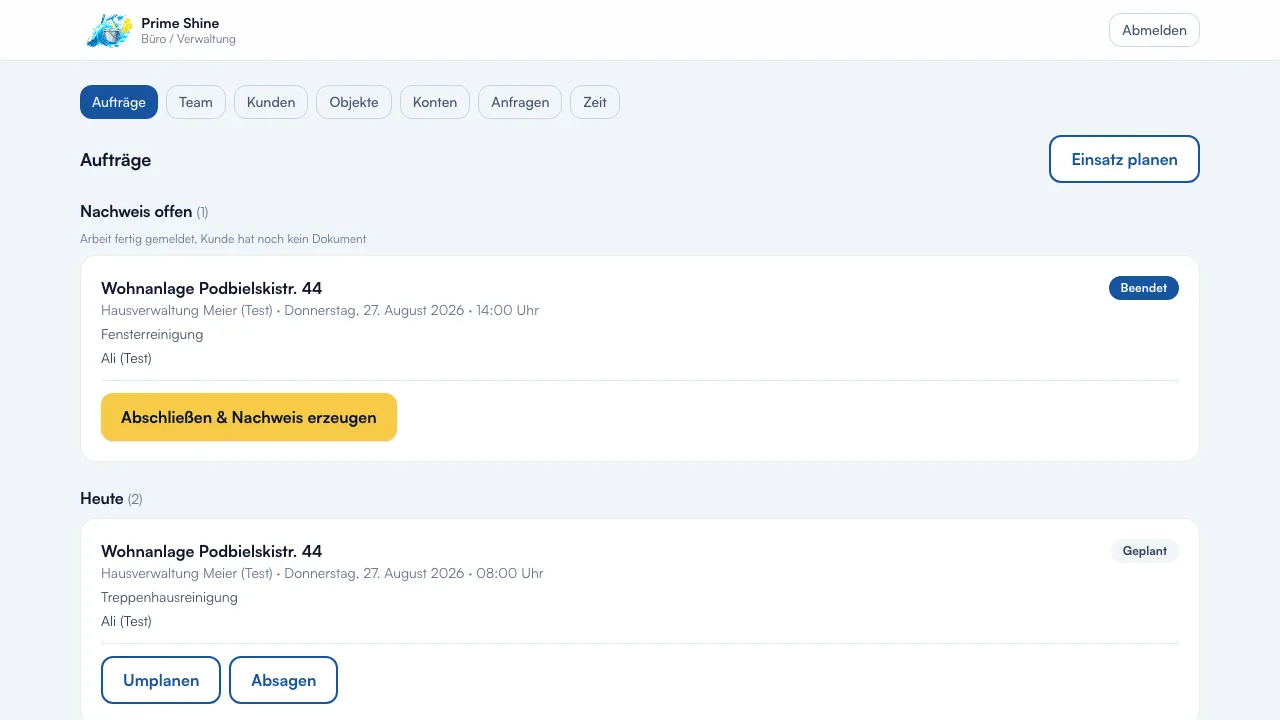
NowCommercial cleaning, Hanover regionThe proof of service is created during the job, with photos
Proof · stairwell cleaning

 +3
+3 - Before
Enquiries came almost only through referrals
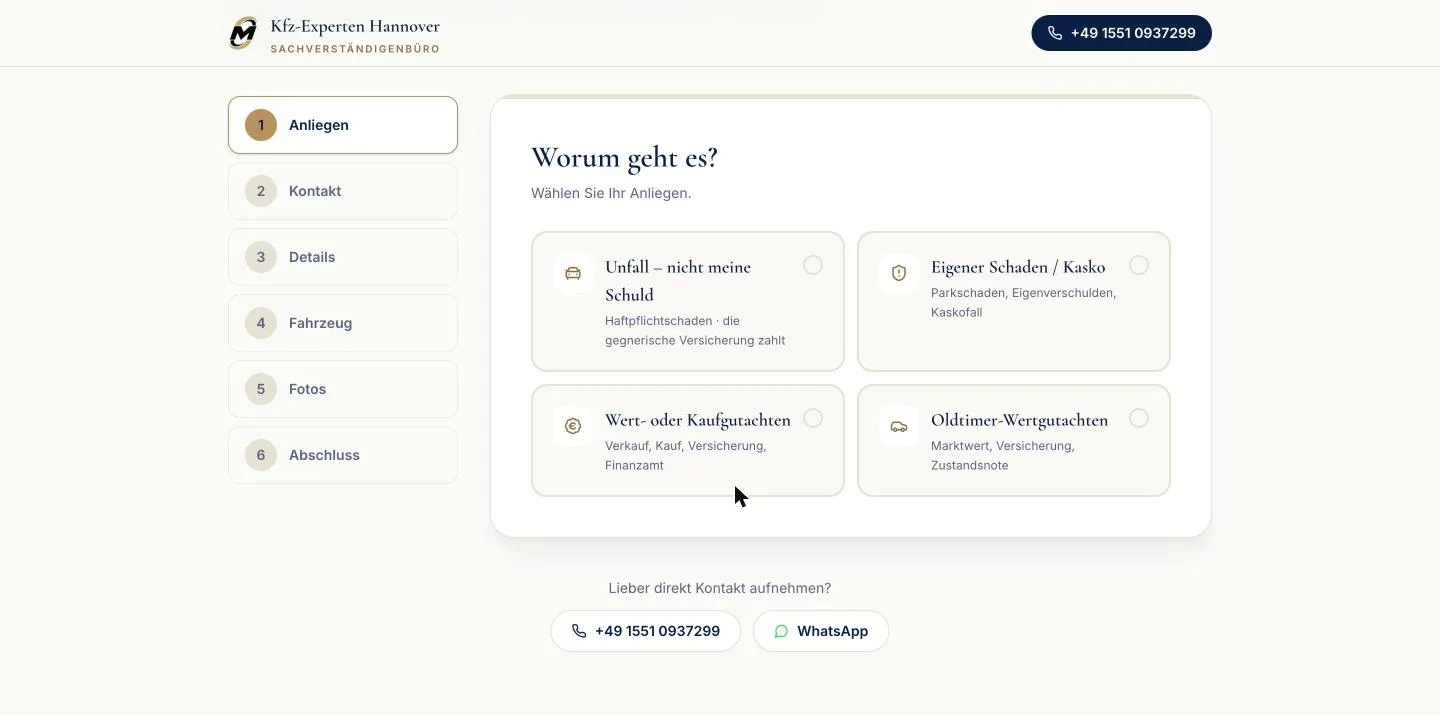
NowVehicle damage assessors, HanoverA site that loads fast, and through which enquiries arrive
New enquiry via the websiteReceivedToday, 09:42
Ready for less work at month end?
One conversation in which we look at your workflow. Afterwards you know whether software pays off for you, even if the answer is no.
Three of six projects
No drafts and no mock-ups: the images come from the live applications. The client names are shown because the companies agreed to it.

Three tracks, one company
Behind it is the company: a software company in Hanover that works from Langenhagen for businesses in the region, run by three brothers with names and CVs, not a department.
Three sentences you can hold us to
Permissions live in the database, not in the interface
A greyed-out button protects no data. Whoever may not see something never receives it in the first place, and we write tests that prove exactly that.
Tested against real systems, not against mocks
A large share of our tests runs against real database emulators. Mocks confirm what you already believed; emulators contradict you.
What is not true comes out
Our projects state which promise is backed and which is still open. That is why this page also says which project is still waiting for its launch.
„Endlich ein System, mit dem unsere MFA nicht erst eine halbe Stunde Schulung brauchen. Pausen werden automatisch geprüft, der Steuerberater bekommt den Lodas-Export per Klick.“Translation: “Finally a system our medical assistants can use without half an hour of training first. Breaks are checked automatically, and the tax adviser gets the payroll export with one click.”
Praxis Elham Nabavi, Hanover
Using our time tracking every day since 2026
Four steps until it runs
Conversation
You tell us what goes wrong today. We ask until we could rebuild it.
Offer
The price is fixed before we build, not afterwards.
Build
You see progress in the client area, not just the result.
Operation
It runs, and we stay reachable. Also after the invoice.
Tell us what goes wrong today
We ask questions until we could rebuild it, then tell you what it costs. The first conversation is free. We work in German and English.
- A first conversation where you talk and we ask
- Cut down to the smallest sensible first part
- A fixed price for it before anyone starts